
There are many methods to migrate a virtual machine (VM) from VMware Workstation to an ESXi server. to move a virtual machine (VM) from VMware Workstation to VMware ESXi, you generally need to export the VM from Workstation and then import it into ESXi. or upload the VM directly Here’s a step-by-step guide on how to do this
In this article
Method 1: Exporting to OVF/OVA and Importing to ESXi:
Step 1: Exporting the VM from VMware Workstation:
Step 2: Importing the VM to VMware ESXi:
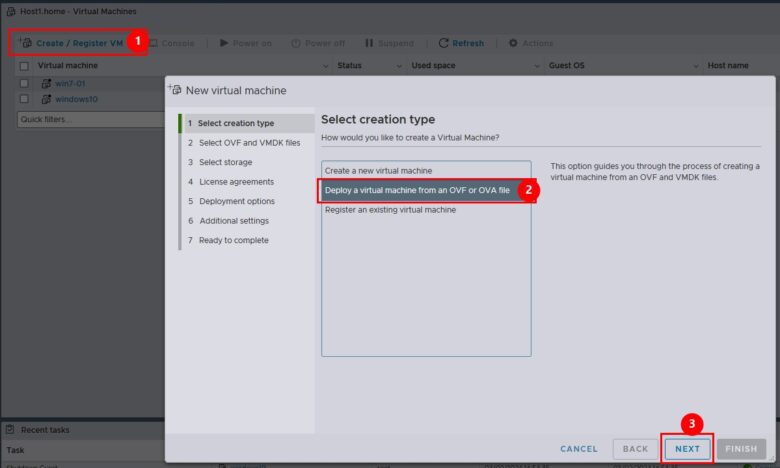
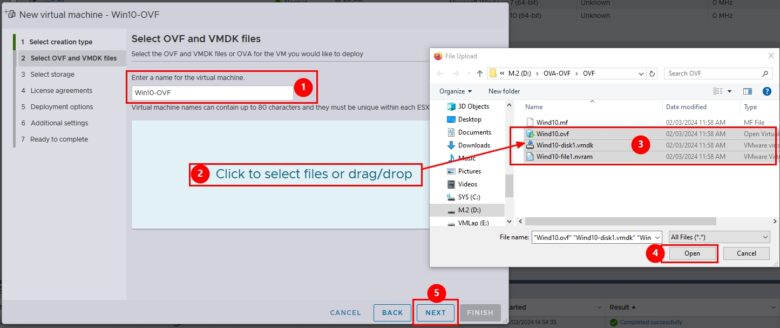
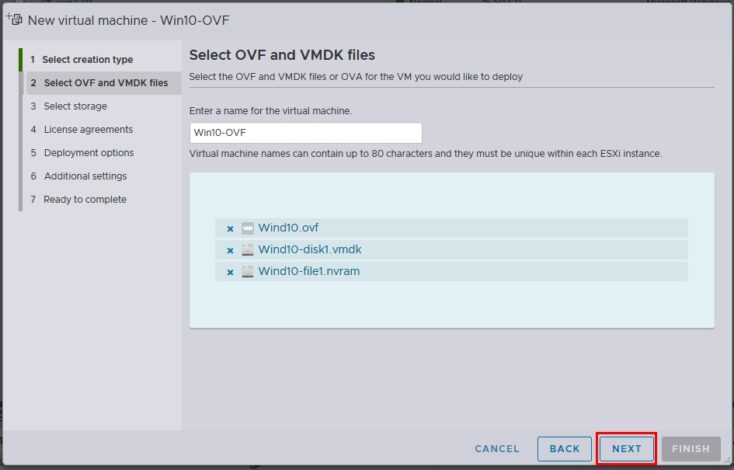

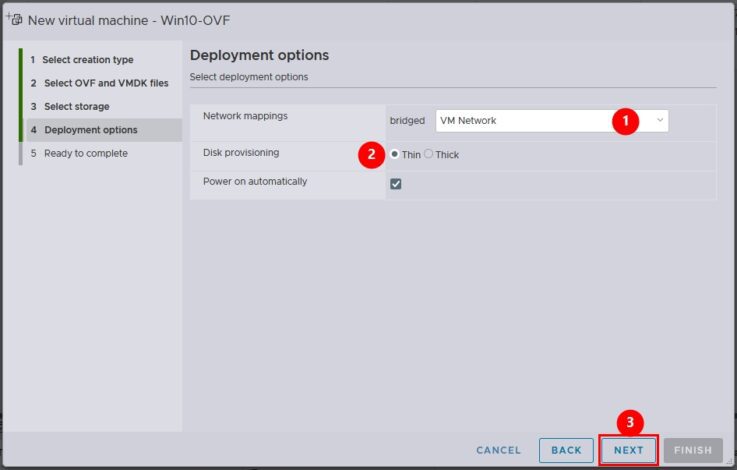
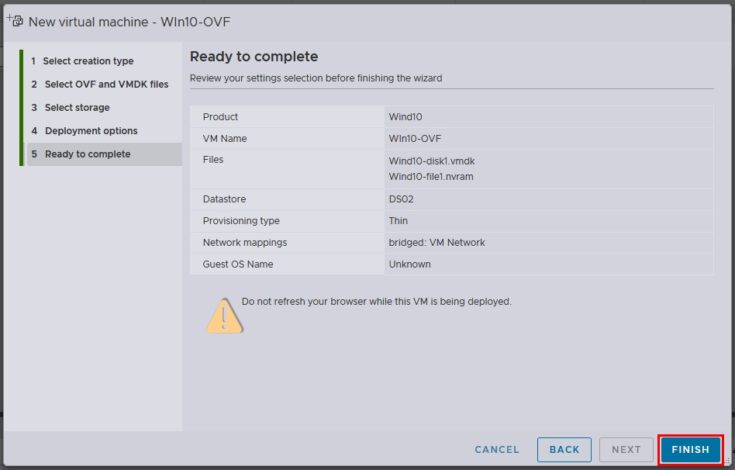
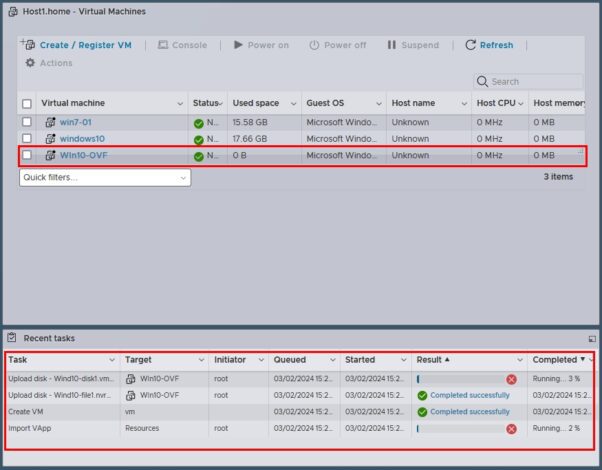
Notice
Importing OVA may be shown error but keep forward and press “Finish” will be continued importing
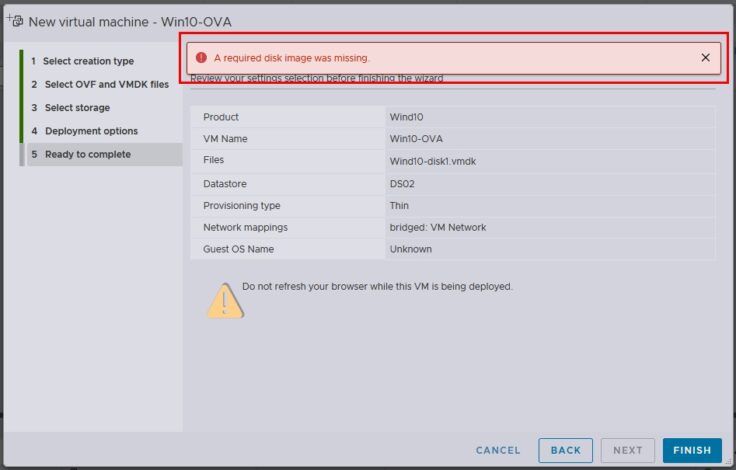
Method 2: Uploading the VM directly to ESXi:
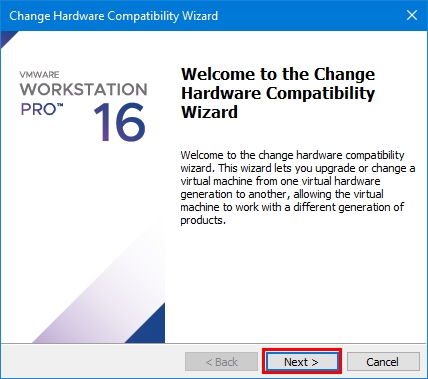
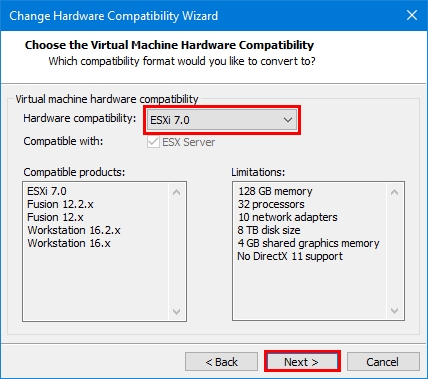
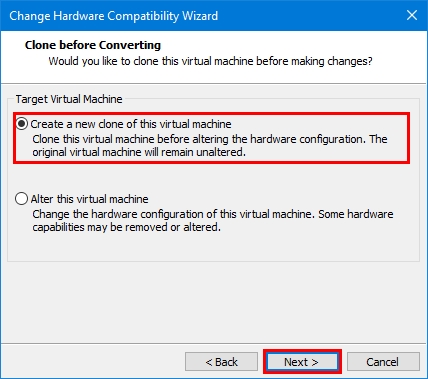
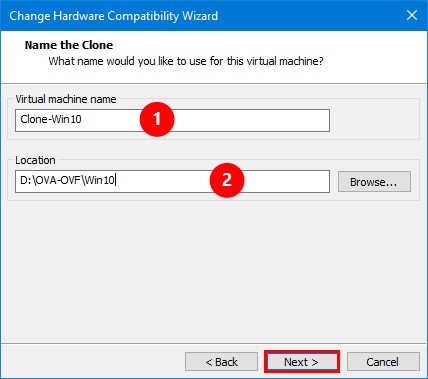
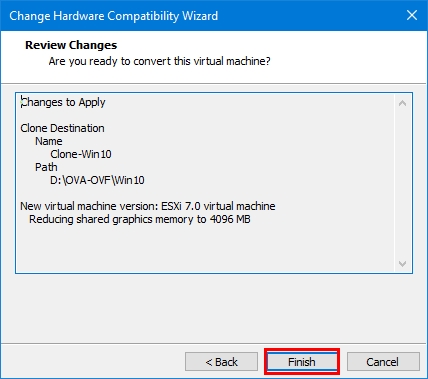
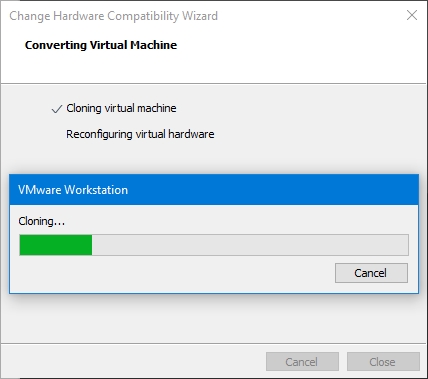
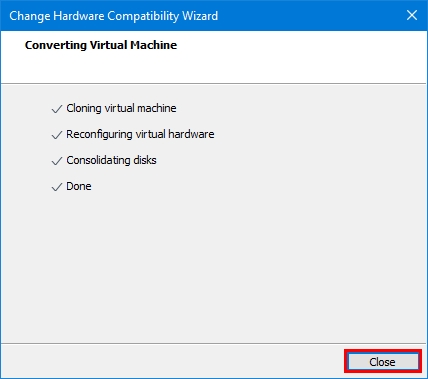
Step 1: Change Hardware Compatibility
- Power off the VM in Workstation.
- Go to VM > Manage > Change Hardware Compatibility.
- Select a compatible version for ESXi and click Next.
- Choose to create a new clone or modify the existing VM and click Finish.
Step 2: Upload the VM to ESXi:
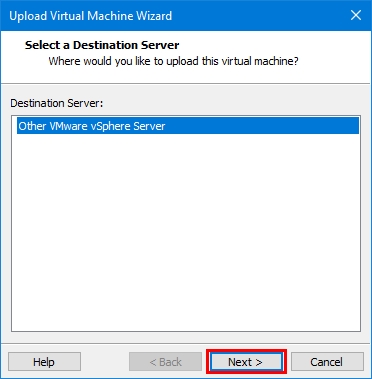
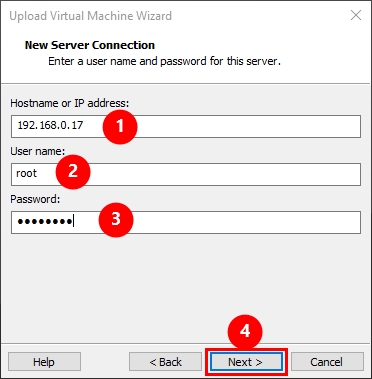
- Right-click on the VM in the Inventory pane. select Manage > Upload.
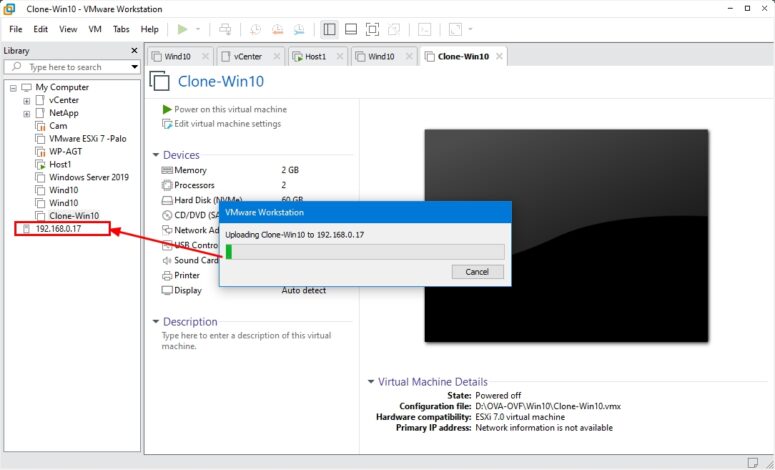
- Alternatively, drag and drop the VM from the inventory onto the ESXi server.if connected before

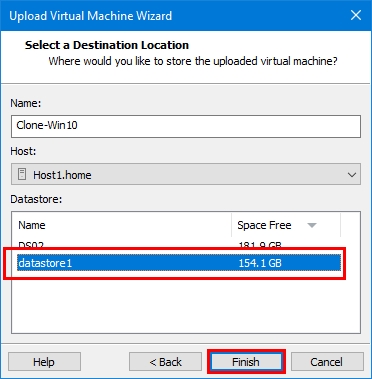
- Upload Virtual Machine Wizard will guide you through the process.
- Select the target datastore where you want to store the uploaded VM.
- Provide a new name for the VM on the ESXi server.(Optional)
- Click Finish to commence the upload.

Method 3: VMware vCenter Converter Standalone
- We will talk about it soon in a separate article. Follow us
Choosing the Right Method:
- OVF/OVA export/import: Simple and widely supported, but may require additional steps for configuration.
- Direct upload: Faster and more efficient for simple migrations, but requires hardware compatibility adjustments.
Additional Notes:
- Make sure that the version of VMware Workstation you’re using is compatible with the version of ESXi you’re running.
- Ensure that the VM hardware version is compatible with ESXi. You may need to upgrade the hardware version if it’s too old.
- Verify that the network settings and any other configurations specific to your VM are correctly configured in ESXi after the migration.
- Always have backups of your VM files before performing any migration or major changes.
By following these steps, you should be able to successfully move a VM from VMware Workstation to VMware ESXi.